Introduction to YAML
What is YAML?
YAML (YAML Ain't Markup Language) is a human-readable data serialization format commonly used for configuration files, data exchange, and structured storage. Unlike traditional markup languages like XML or JSON, YAML focuses on simplicity and readability, making it an ideal choice for configuration management.
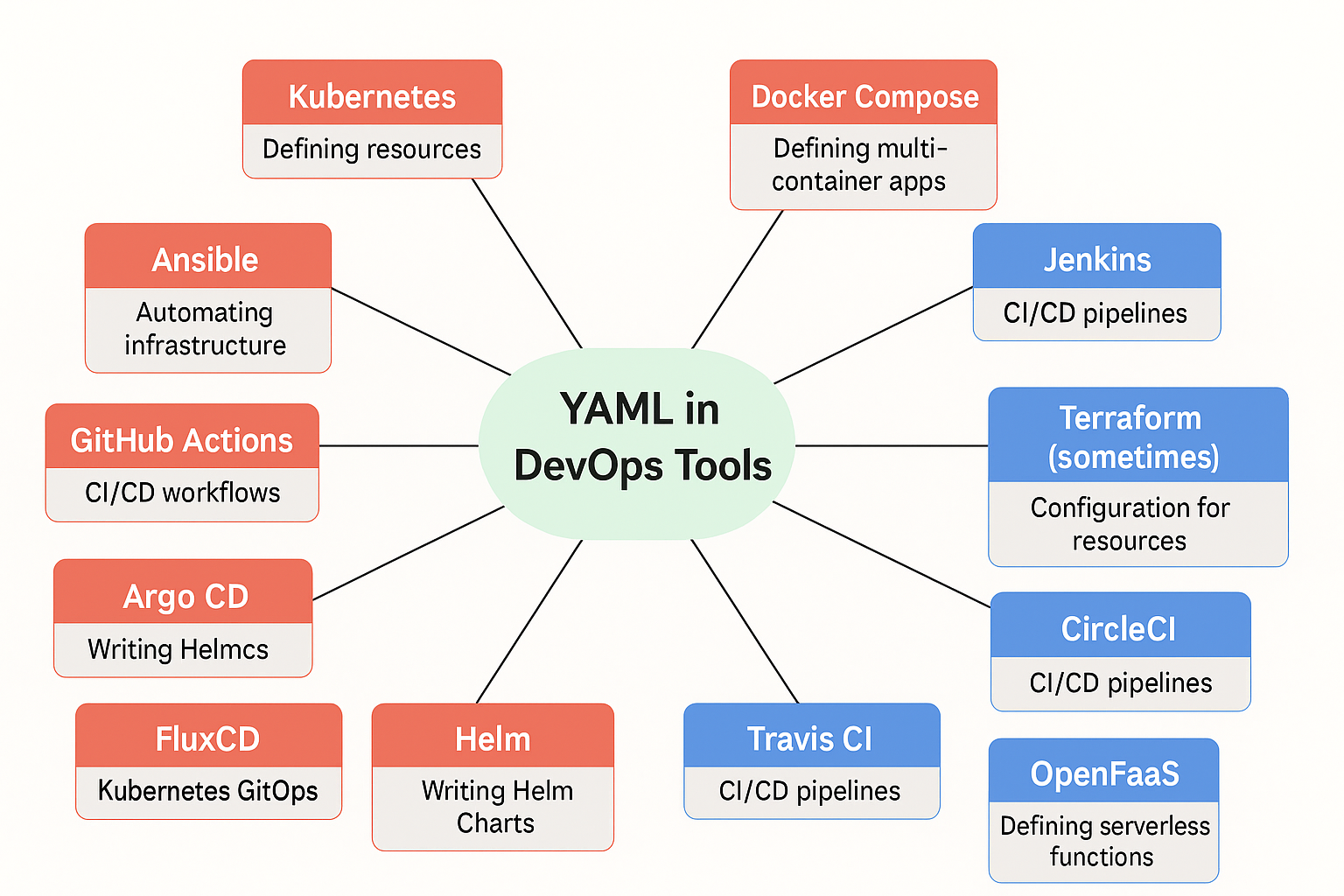
Data Structure Support in YAML
YAML supports various data structures to represent information efficiently. The primary data types in YAML include:
1. Scalars
Scalars are single-value data types such as strings, numbers, booleans, and null values.
- String: Strings can be written with or without quotes.
message: Hello, YAML!
title: "My YAML Guide"
- Number: YAML supports both integers (whole numbers) and floating-point (decimal) values.
Numbers should be written without quotes. If quotes are used, the value will be treated as a string, not a number.
version: 1       # Integer
pi: 3.14159      # Floating-point number
temp: "3.5"      # string, NOT a number
Tip:
In Kubernetes YAMLs, fields likereplicas,ports, andresource limitsexpect real numbers without quotes.
# ✅ Correct (numbers without quotes)
replicas: 3
cpuLimit: 2.5

# ❌ Incorrect (numbers inside quotes — treated as strings)
replicas: "3"
cpuLimit: "2.5"
Note:
Always write numbers without quotes unless you intentionally want them to behave like strings.
- Boolean: Must be written in lowercase (
trueorfalse).
enabled: true
debug: false
- Null: Represented as
null,~, or left blank.
value: null
another_value: ~
empty_value:
2. Lists (Arrays)
Lists are ordered collections of items, each item prefixed with a hyphen (-).
YAML allows some flexibility in indentation — both styles below are valid and accepted by Kubernetes.
colors:
  - red
  - green
  - blue
colors:
- red
- green
- blue
Tip:
While both are correct, using 2 spaces indentation (first style) is the common convention in Kubernetes YAML files for better readability.
3. Dictionaries (Mappings)
Dictionaries, also known as maps, store key-value pairs.
person:
  name: Ibtisam
  age: 25
  occupation: DevOps Engineer
Multi-line Strings in YAML
YAML provides two block styles for handling multi-line strings:
1. Literal Block Style (|)
Preserves line breaks, making each line in the YAML file a separate line in the final value.
description: |
  This is a multi-line string.
  Each new line is preserved.
  Useful for storing long paragraphs.
2. Folded Block Style (>)
Folds newlines into spaces, combining multiple lines into a single paragraph unless there’s a blank line.
description: >
  This is a multi-line string.
  All lines will be joined into
  a single paragraph.
Comments in YAML
Comments in YAML start with a # and are ignored by the parser.
# This is a comment
app: MyApp  # Inline comment
Key-Value Pairs in YAML
In YAML, key-value pairs represent data where: - Keys are always strings (quotes are optional but not required). - Values can be strings, numbers, lists, or dictionaries. - Quotes are required for strings containing spaces.
app_name: MyApp
version: 1.0
owner: "Muhammad Ibtisam"
Understanding Different Types of Values in YAML
Values in YAML can take various forms depending on the type of data being represented. Understanding how different values behave is crucial for writing efficient and error-free YAML configurations.
1. String Values and When to Use Quotes
Strings are sequences of characters and can be written with or without quotes. However, quotes are required in the following cases:
- When the string contains spaces.
- When it includes special characters like
:or#. - When it starts with special characters (e.g.,
yes,no,on,offmay be interpreted as booleans). - When it includes special YAML-reserved words like
null.
message: HelloWorld  # Unquoted string
quote_example: "This: is a valid string"  # Quoted string
special_chars: 'Be careful with # and :'  # Single-quoted string
2. Numeric Values (No Quotes Required)
YAML supports both integers and floating-point numbers. Unlike some languages, YAML does not require explicit type declarations for numbers.
integer_example: 42
float_example: 3.14
negative_number: -15
scientific_notation: 6.02e23  # Exponential notation
3. Boolean Values (No Quotes Required)
Boolean values are used to represent true or false conditions. In YAML, they must always be written in lowercase.
is_active: true
is_deleted: false
4. Null Values (No Quotes Required)
YAML provides multiple ways to represent null values. These are useful when a key exists but does not hold any meaningful value.
null_value_1: null
null_value_2: ~
null_value_3:   # Blank space also represents null
5. Lists as Values (No Quotes Required)
Lists allow multiple values under a single key. Each item in a list is prefixed with a hyphen (-). Quotes are generally not required unless the item contains spaces or special characters.
fruits:
  - apple
  - banana
  - "golden cherry"
6. Dictionaries as Values (Quotes Sometimes Required)
Dictionaries (mappings) allow complex structures where a value itself is a set of key-value pairs. Quotes are required for dictionary keys only if they contain special characters.
person:
  name: Ibtisam
  age: 30
  "home address": "123 Main St"  # Quotes required due to space
When to Use a List vs. a Dictionary?
Understanding when to use a list versus a dictionary is crucial in YAML:
- Use a List When:
- You have multiple values that belong to the same category.
- The order of items matters (e.g., steps in a process, a list of tasks).
- You do not need named keys for each item.
Example: List of colors
colors:
  - red
  - green
  - blue
- Use a Dictionary When:
- You need to store key-value pairs.
- The items need named labels for better readability.
- The order does not necessarily matter.
Example: Storing person details
person:
  name: Aafia
  age: 53
  occupation: "neuroscientist and educator"
How Lists and Dictionaries Work Together
Often, lists and dictionaries are used in combination to create more structured data.
Example: A list of people, where each person has a dictionary of attributes:
people:
  - name: Alice
    age: 30
    city: Metropolis
  - name: Bob
    age: 25
    city: Gotham
This structure allows for an easy way to represent multiple entries while keeping the attributes organized.
Use Case Example: Using 'fruit' as a Key with Direct, Nested, and Nested List Values
YAML uses key-value pairs, where keys are strings and values can be strings, numbers, lists, or dictionaries. This guide shows how to use fruit as a key in three ways: (1) directly mapping to a value, (2) as a top-level dictionary key with nested content, and (3) as a key for a nested list structure. Follow these examples to master YAML’s flexibility.
Common Pitfalls in YAML
1. Indentation Errors
YAML uses indentation to define structure, and mixing spaces with tabs or using inconsistent indentation levels will cause errors.
Incorrect:
name: Ibtisam
  age: 25  # Inconsistent indentation
Correct:
name: Ibtisam
age: 25  # Consistent indentation
2. Case Sensitivity
YAML is case-sensitive. For example:
enabled: true  # Correct
ENABLED: True  # Incorrect (boolean values must be lowercase)
3. Special Characters in Strings
Certain characters, such as : and #, may require quoting to avoid misinterpretation.
message: "This: is a valid string"
comment: "Be careful with # symbols!"
YAML Validation Tip 🚀
Before applying your YAML files (especially in Kubernetes), always validate your YAML syntax.
Tiny mistakes — like bad indentation or quoting numbers as strings — can cause big headaches during deployments!
You can quickly validate your YAML at yamllint.com.
It automatically checks for: - Syntax errors - Bad formatting - Incorrect data types - Indentation mistakes
Conclusion
YAML is a powerful and human-friendly format that supports scalars, lists, and dictionaries. Understanding its syntax and common pitfalls is essential for writing error-free YAML files. Additionally, mastering different types of values in YAML helps create more structured and readable configurations. In the next chapters, we will explore lists, dictionaries, and their real-world applications.